
Posting to your club
Last updated 12 October 2026
Posts let you share news, photos and reminders with your community, right on your club page.
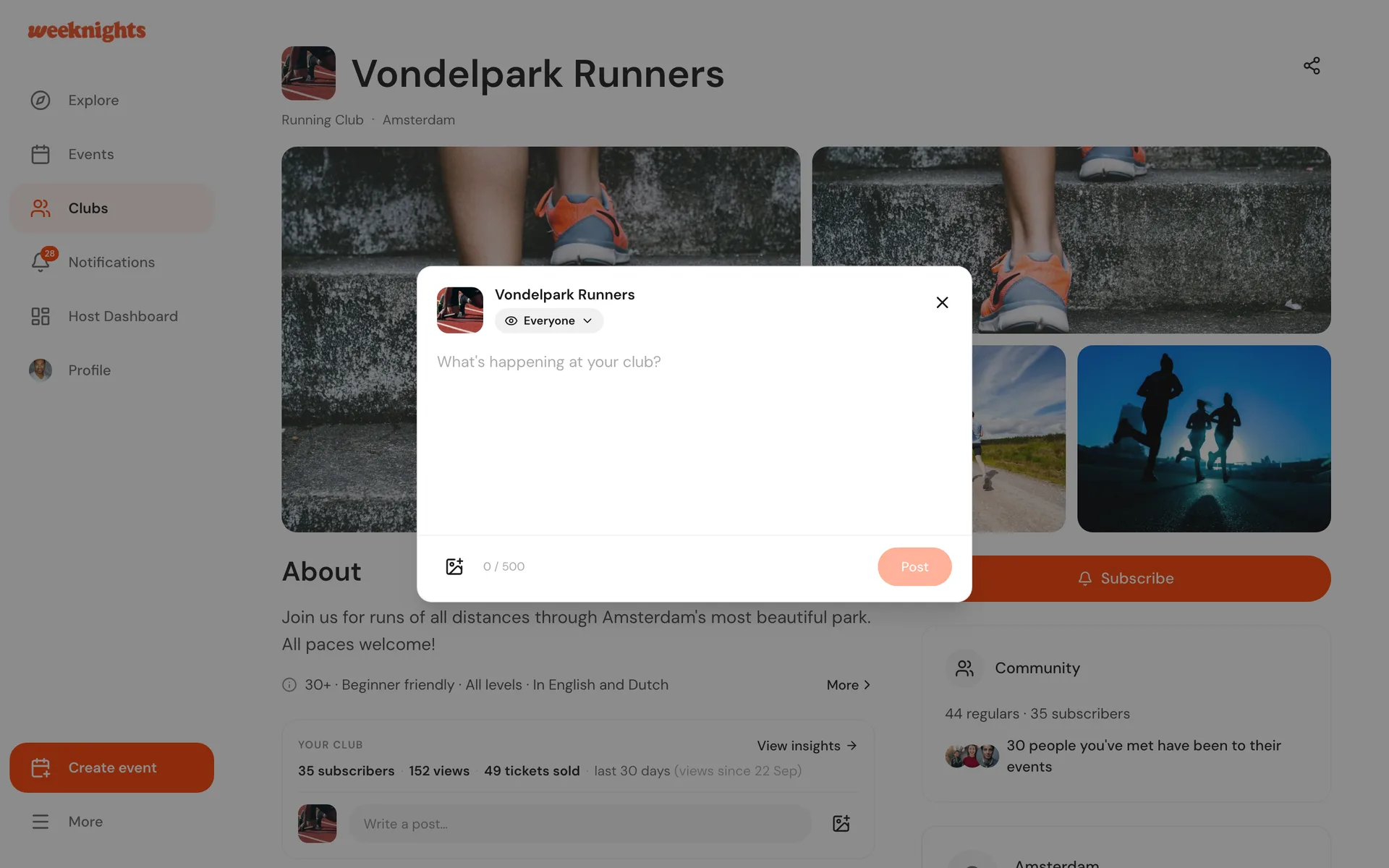
Writing a post
- Open your club page. Click View club page at the top of your host dashboard's Overview to get there.
- Click Write a post…
- Choose who it is for (see below)
- Write up to 500 characters and add up to 10 photos
- Click Post
Who sees it
Pick the audience under your club name:
- Everyone: public, and shows on your club page
- Subscribers: only people who subscribe to your club
- Attendees of an event: pick one of your events, and only people who went to it see the post
Who is notified
- Everyone and Subscribers posts notify your subscribers
- Attendees of an event posts notify the people who went
Each person gets a notification on Weeknights and an email, unless they have turned club post emails off.
Where posts appear
Posts show on the Posts tab of your club page. Subscriber and attendee posts only appear for the people they are meant for.
To delete a post, open its menu and choose delete.