Managing your guest list
Last updated 20 August 2026
Keep track of who's coming to your event and manage your attendees.
Viewing your attendees
- Go to your host dashboard > Events
- Click on your event
- Go to the Attendees tab
You'll see a list of everyone who has:
- Confirmed (for free events)
- Paid (for paid events)
- Been approved (if using approval mode)
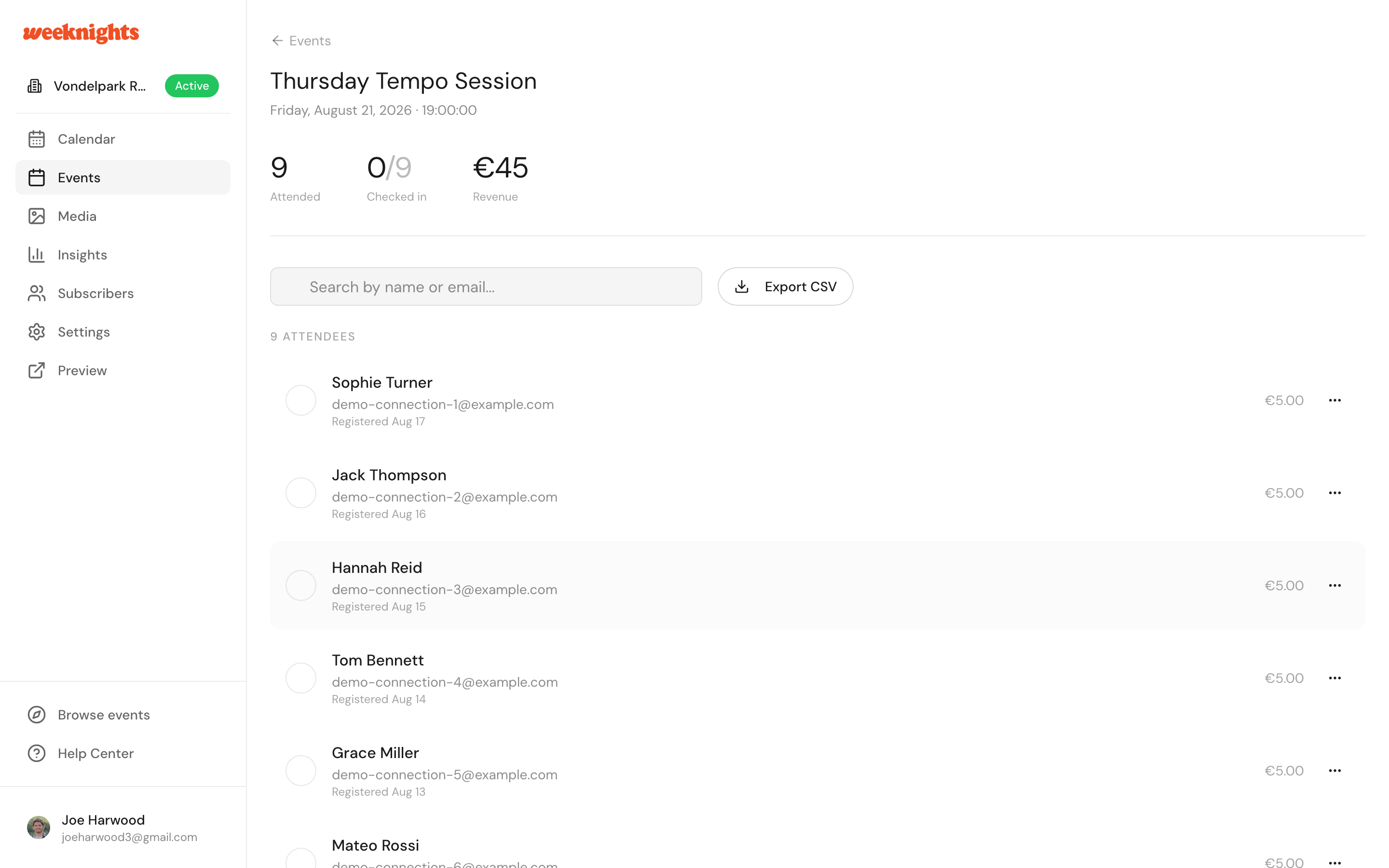
Attendee information
For each attendee, you can see:
- Name
- Email address
- Number of tickets, including any guests they're bringing
- Check-in status
- Payment status (for paid events)
Attendee statuses
- Confirmed - Ready to attend
- Checked in - Already arrived at your event
- Pending - Awaiting approval (approval mode only)
- Pending payment - Approved but hasn't paid yet
- Expired - The payment deadline passed and the spot was released
- Cancelled / Refunded - No longer attending
Filtering and searching
Use the search bar to find specific attendees by name or email. This is especially useful for:
- Finding someone at the door
- Checking if a specific person is on the list
Adding attendees manually
Sold tickets elsewhere, or want to add a co-host or VIP? Click Add Attendee to add someone by name and email. They receive an invite email and count towards your capacity. Manually added attendees show a badge in the list and can be removed with the Remove action.
Refunding or cancelling a ticket
From an attendee's row you can use Refund Ticket (paid tickets) or Cancel Ticket (free tickets). See Refunding tickets for what happens next.
Exporting your guest list
Need to print your list or share it with a co-host?
- Go to the Attendees tab
- Click Export CSV
- Your guest list downloads as a spreadsheet
Communicating with attendees
You can reach attendees via the email address shown in their profile. If Messages appears in your navigation, you can also use the event group chat to message everyone at once.
Capacity management
Keep an eye on your numbers:
- Capacity shows your maximum attendees
- Sold/Booked shows how many spots are taken
- Available shows remaining spots
Next steps
- Checking in attendees - Mark people as arrived
- Approval mode - Review requests before confirming