
Waitlists for your events
Last updated 25 October 2026
When your event sells out, a waitlist opens automatically. There is nothing to set up.
How it works
- Your event reaches capacity and shows as sold out
- People click Join Waitlist on the event page: one ticket each for a free event, and for a paid event they pick their tickets and add a card
- When a spot opens, it goes to the first person in line
- For a free event their ticket is confirmed straight away. For a paid event we charge the card they added when they joined, and the ticket is confirmed.
- If the card doesn't go through, the spot is held for them for 24 hours and they get a link to pay. If they don't pay in time, it goes to the next person.
You get the usual new registration or sale notification when someone gets a spot from the waitlist. Paid waitlist tickets pay out like any other sale.
Spots stop going to the waitlist 2 hours before the event starts. After that, a freed spot is open for anyone to book. Events that require approval don't give spots automatically: a freed spot opens for new requests.
Giving spots yourself
To choose who gets a freed spot, open the event's Settings tab and turn off Fill spots from waitlist. Freed spots then stay open until you give them out, and anyone can book them in the meantime.
To give someone a spot, open the Waitlist tab and click Give spot next to their name. It shows when there's a free spot for them, also when spots fill automatically and in the last 2 hours. They get the spot the same way as above: a ticket for a free event, their card charged for a paid one, or 24 hours to pay.
What opens a spot
- You refund or cancel a ticket
- You reject a request, or an attendee cancels their pending request
- An approved request or a reserved waitlist spot isn't paid in time
- You raise the event's capacity. The first people in line each get one of the new spots.
Viewing your waitlist
Go to Events in your host dashboard, click the event and open the Waitlist tab. The tab shows while at least one person is waiting. You can also click the waitlist count on the event in your Events list, or See waitlist on the event's Overview.
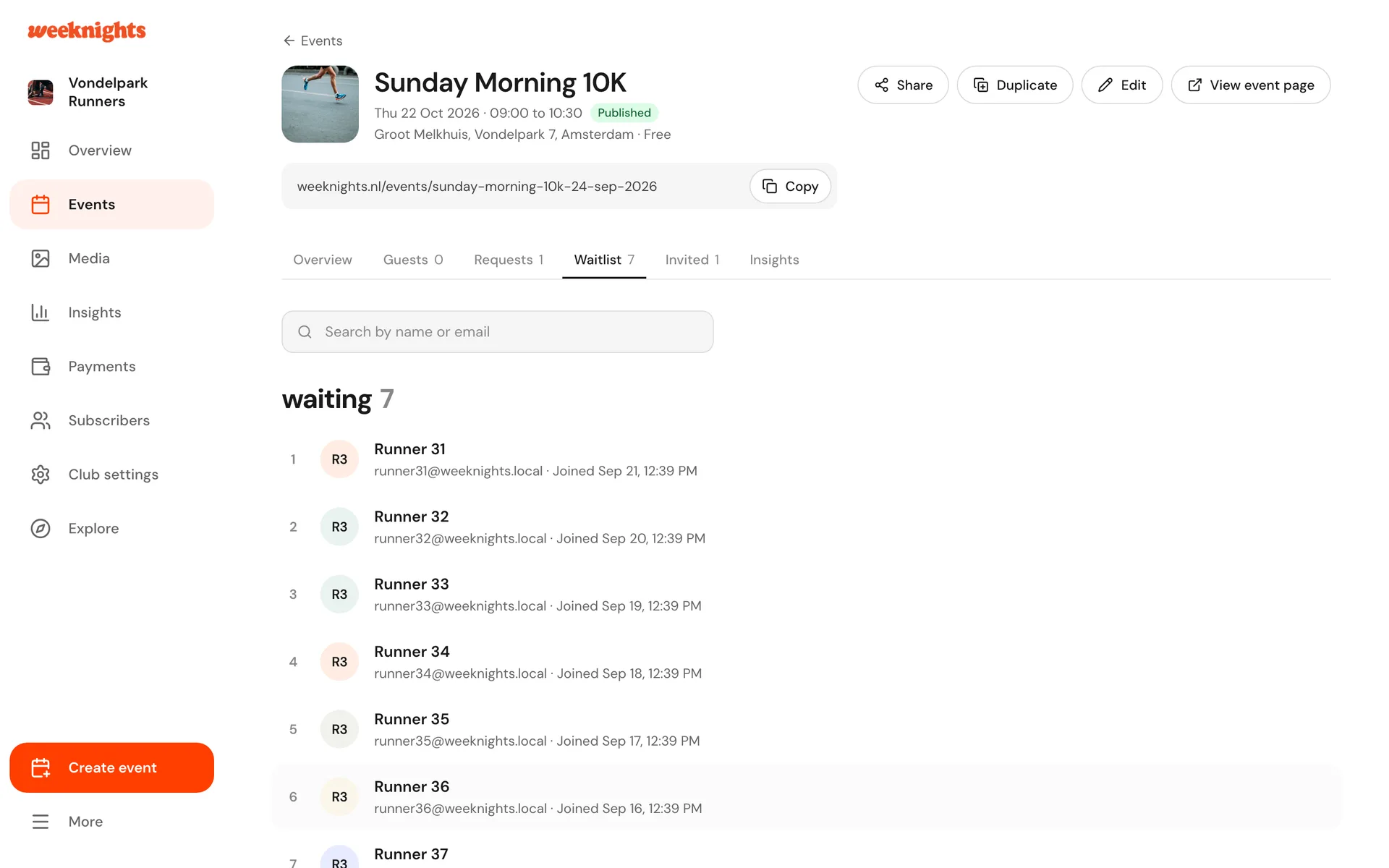
You see two lists:
- waiting: everyone in line, in order, with their name, email and when they joined
- offered a spot: people who got a spot from the waitlist, marked Booked or Not booked yet (they still have to pay)
Making room
Add spots on the Waitlist tab (or the event's Settings) raises the capacity. The new spots go to the first people in line straight away, or show as free spots on the Waitlist tab if you give spots yourself.
To add someone who isn't on the waitlist, use Add attendee on the event's Guests tab.
To send everyone waiting an update, use Message guests and choose Waitlist. See Messaging your guests.