
Getting started as a host
Last updated 12 October 2026
Weeknights is where clubs post events, sell tickets and keep their community coming back. This guide takes you from a new account to your first event.
What you can do as a host
- Create free or paid events
- Give your club its own page, with photos, posts and past events
- Review who joins with approval mode
- Invite past guests and message everyone going
- Check guests in at the door by scanning their ticket or tapping their name
- Get paid to your bank account through Stripe, 48 hours after each event ends
Set up your club
- Sign up or log in at weeknights.nl
- Create your club at weeknights.nl/create/club
- Open your host dashboard
If your club is already listed on Weeknights, claim it instead of creating a new one.
Your Overview page
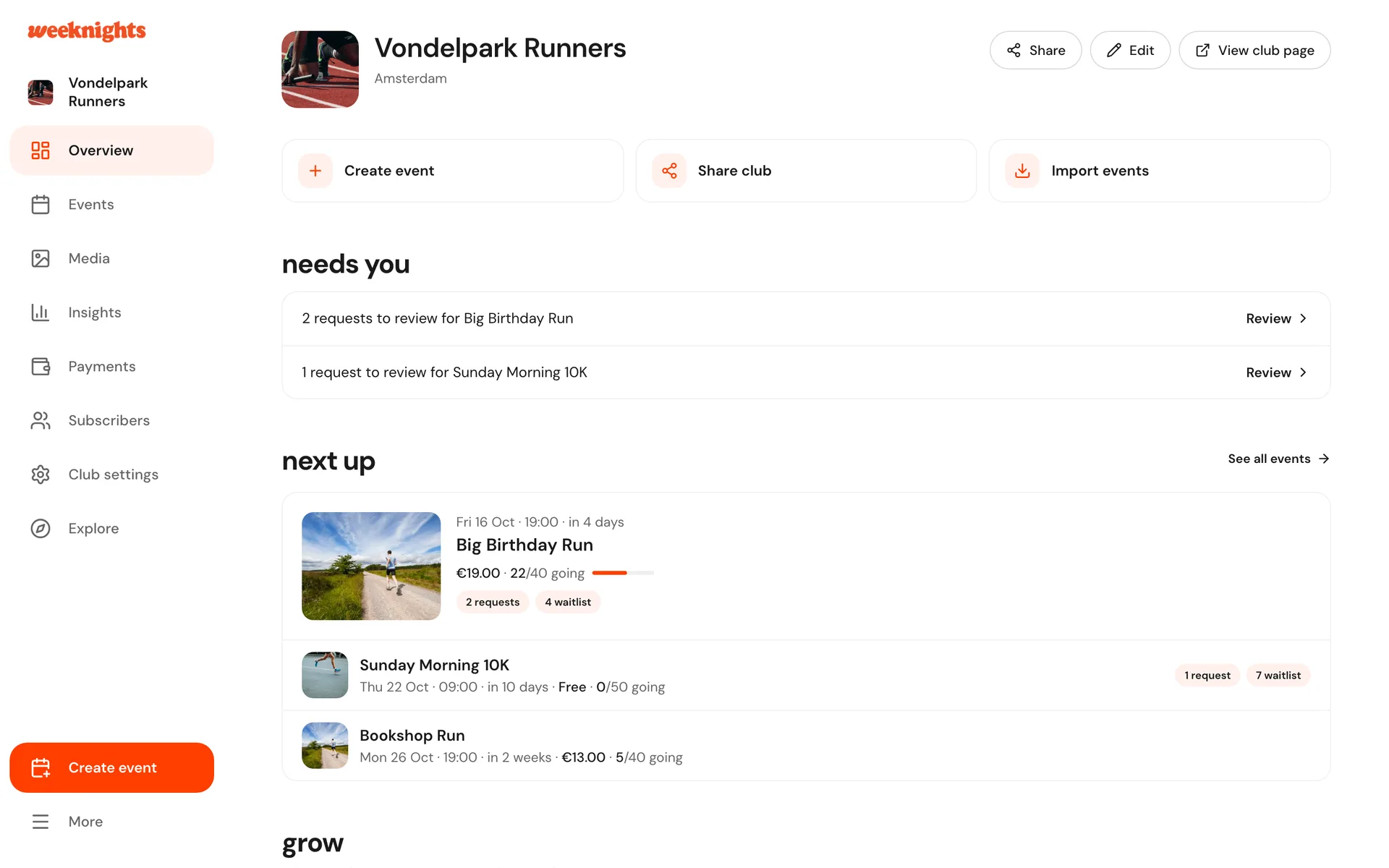
The dashboard opens on Overview. While you are getting set up it shows a checklist:
- Create your first event
- Add club photos
- Connect Stripe
- Sell your first ticket
Once you are running events, Overview shows your next events and a needs you list, for example ticket requests waiting for approval. Along the top are shortcuts to Create event, Share club and Import events.
On your phone
The host dashboard works on your phone. Your club sits in the bar at the top, and the menu button opens every host page, plus Create event.
Create your first event
- On Overview, click Create event
- Add the event name, date, time and location
- Set the ticket price, or leave it free
- Click Preview to check how it looks, then Create event to publish, or Save as draft to finish later
To sell paid tickets you first need to connect Stripe on the Payments page.